
Other
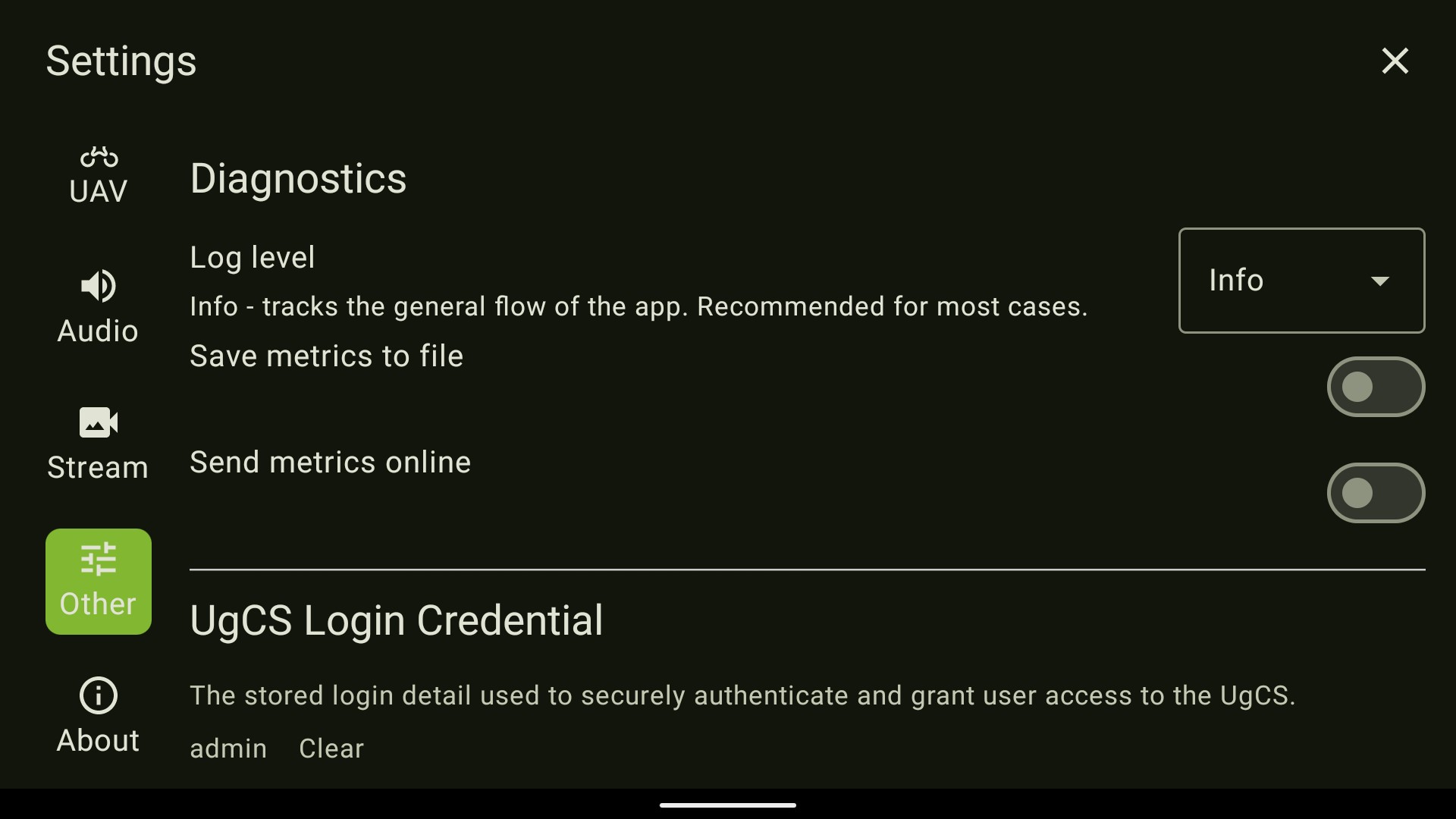
This section allows you to:
- Select the logging level recorded by the application;
- UgCS login credential storage (for multiple users);
- Enable Experimental features.
NOTE: The Experimental features can be enabled, but caution is required since they weren't completely tested.
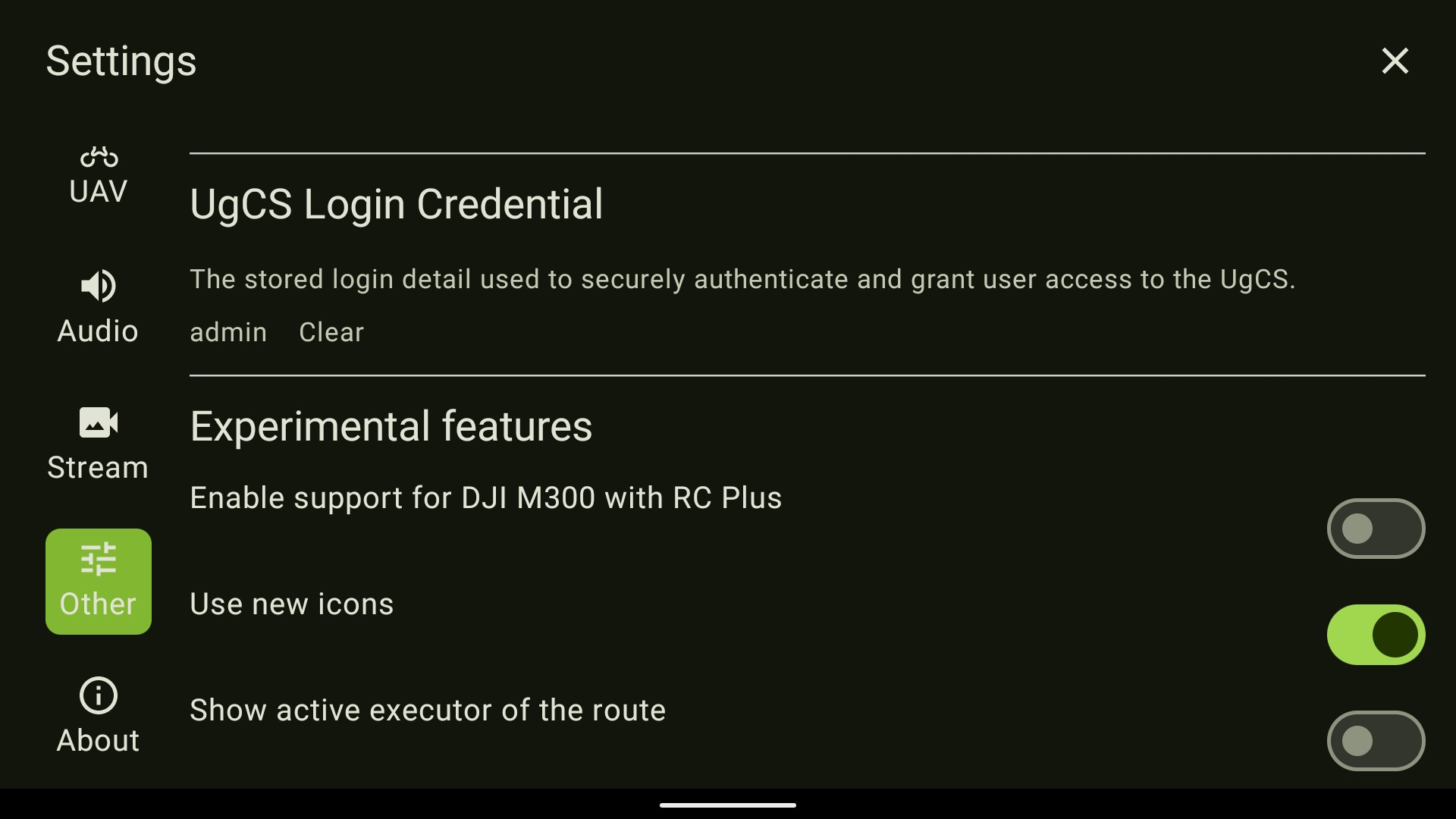
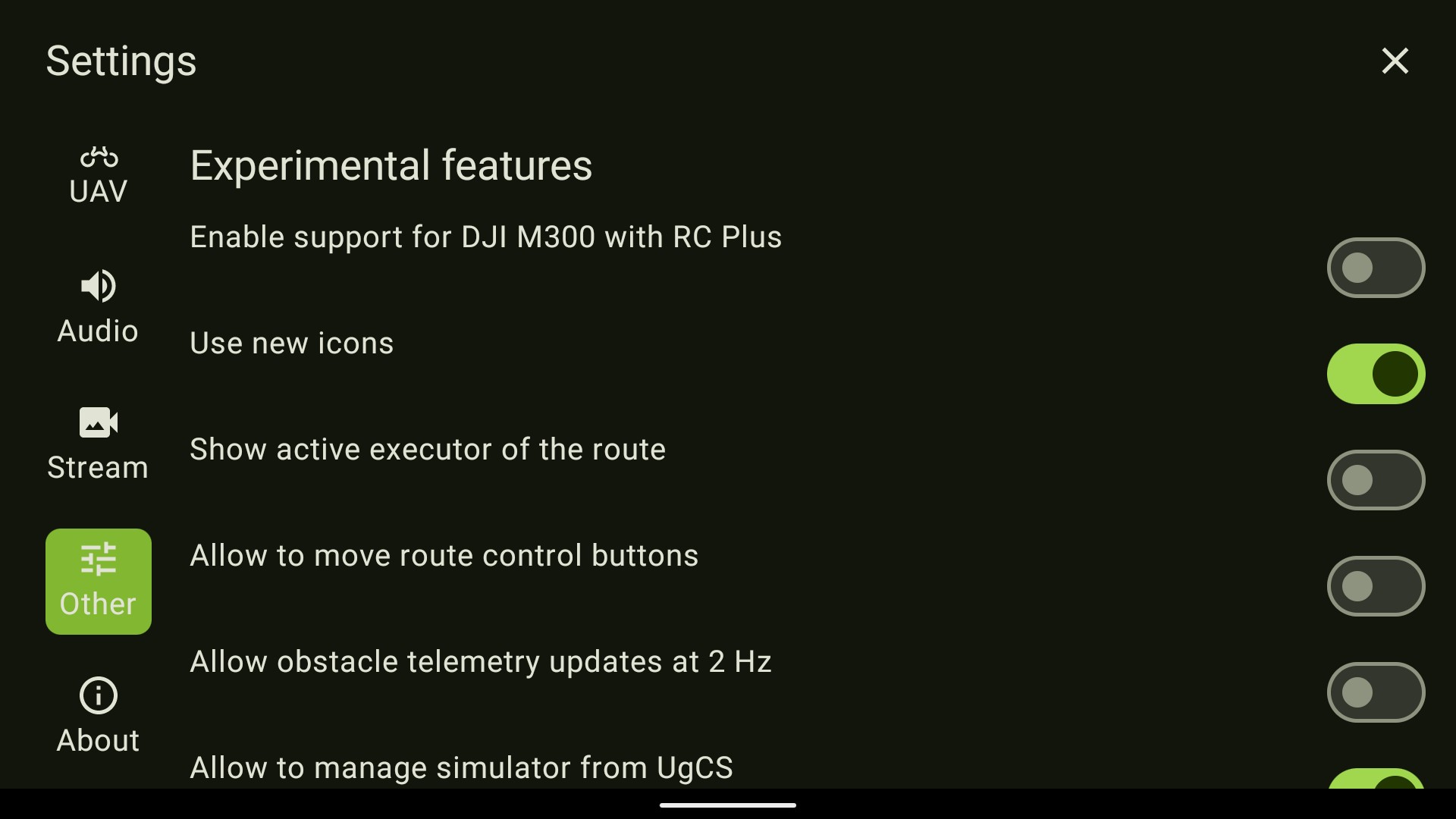
- Enable support for DJI M300 with RC Plus - Enables you to use the app with the DJI M300 with the DJI RC Plus;
- Use new icons - Visual update to the icons;
- Show active executor of the route - Enables an icon of the current route execution method (Skyhub or UgCS);
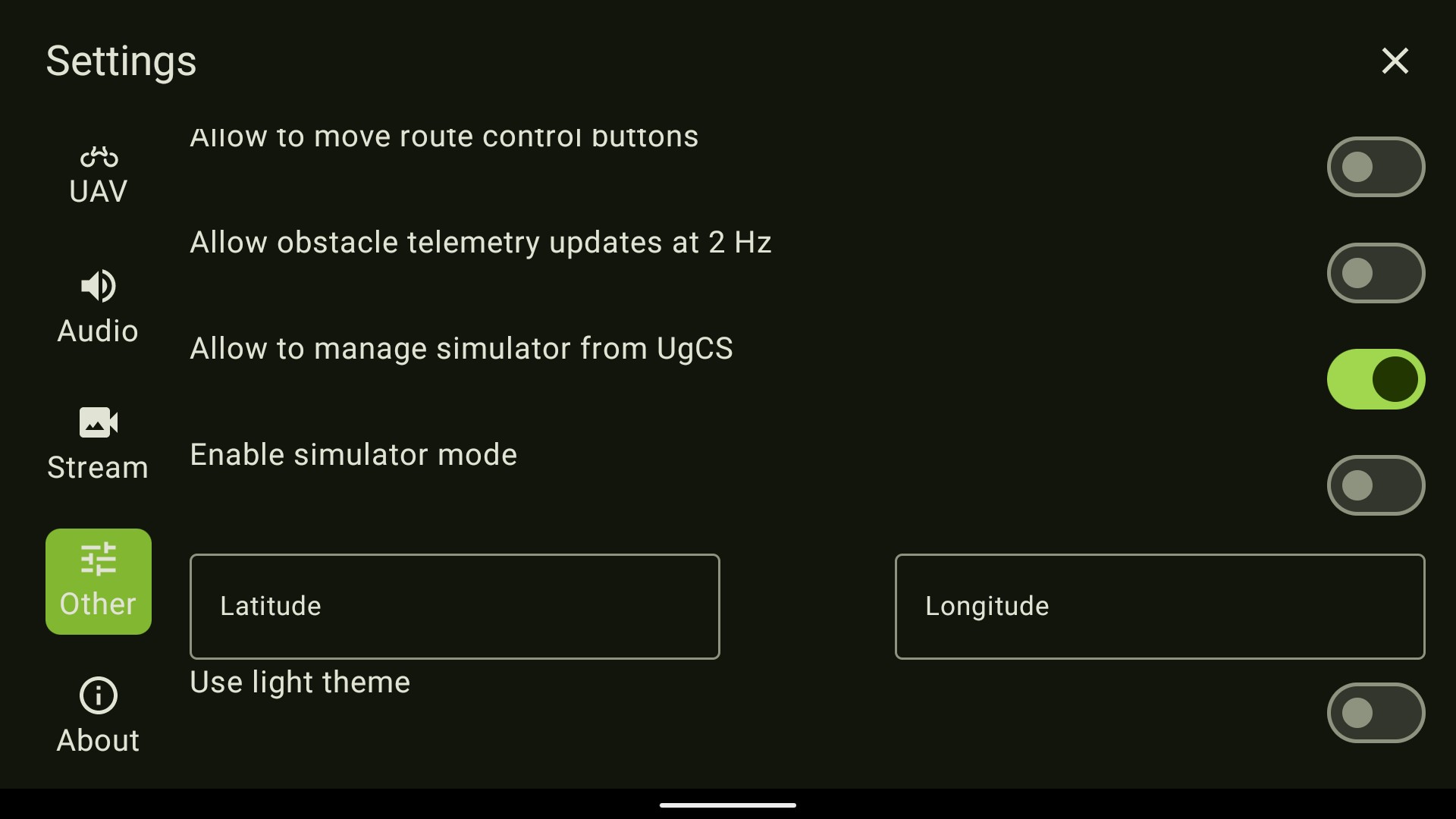
- Allow to move route control buttons - Enables the possibility to reposition route control buttons;
- Allow obstacle telemetry updates at 2 Hz - Changes distance telemetry send rate to 2 times per second (default is 5 times per second).
- Allow to manage simulator from UgCS - Enables the possibility to manage the simulator from the UgCS desktop app;
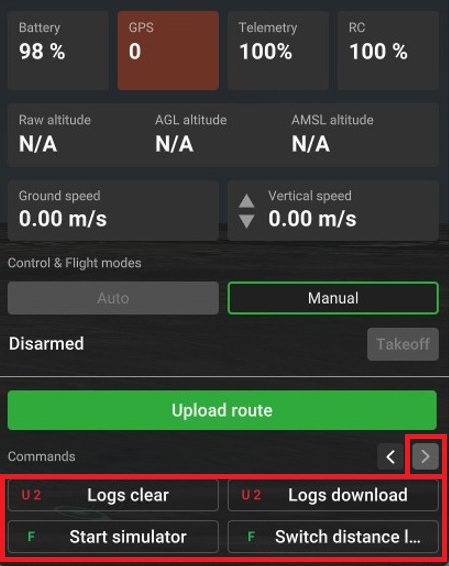
- Enable simulator mode - Enables simulator mode directly from RC.
Simulator can also be started from UgCS Desktop application
Open the menu to access simulator.
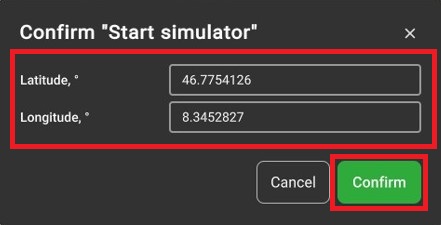
Enter the coordinates for simulated flight start and press "Confirm"
Updated about 1 month ago
Did this page help you?